How to Manage About Page in Storex Pro?
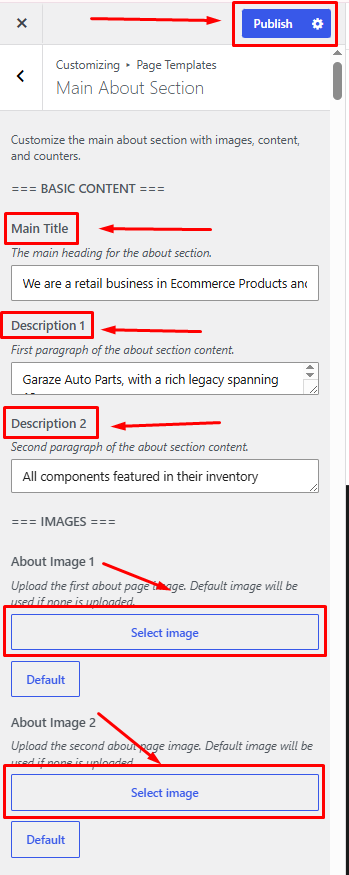
1. How to Manage Basic Content on the About Page.
From your dashboard, go to the Appearance > Customize > Page Templates > Main About Section
Publish Now
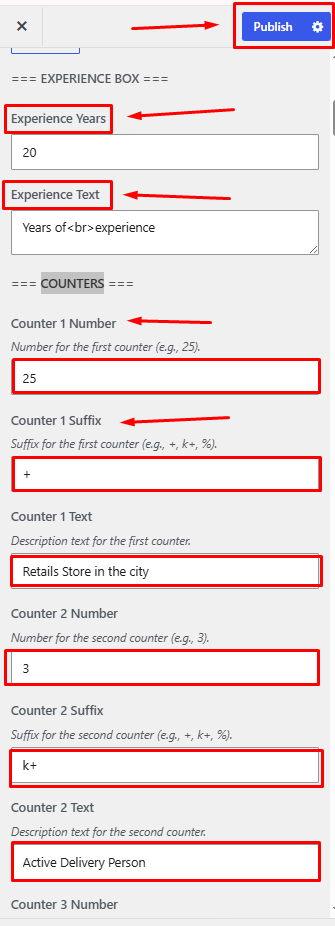
2. How to Manage Experience Box & Counters on the About Page.
From your dashboard, go to the Appearance > Customize > Page Templates > Main About Section
You Can Update Experience Box & Counters
Publish
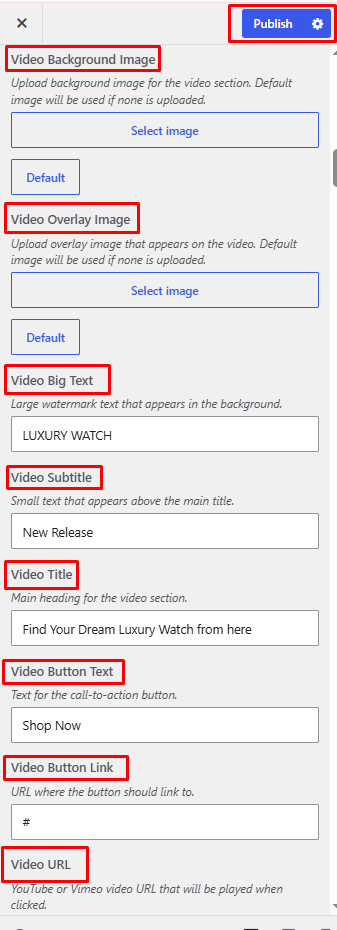
3. How to Manage the Video Section on the About Page.
From your dashboard, go to the Appearance > Customize > Page Templates > Main About Section.
Here. Add Video Section Content.
4. How to Manage the Video Section on the About Page.
From your dashboard, go to the Appearance > Customize > Page Templates > Main About Section.
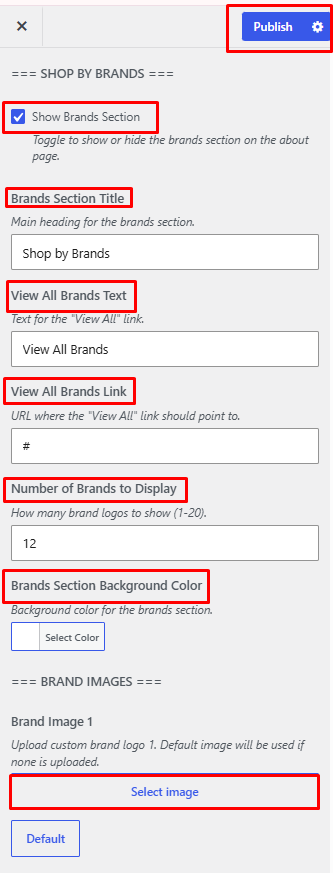
Here, Manage Shop By Brands Content.
5. How to Manage the Mobile Apps Section on the About Page.
From your dashboard, go to the Appearance > Customize > Page Templates > Main About Section.
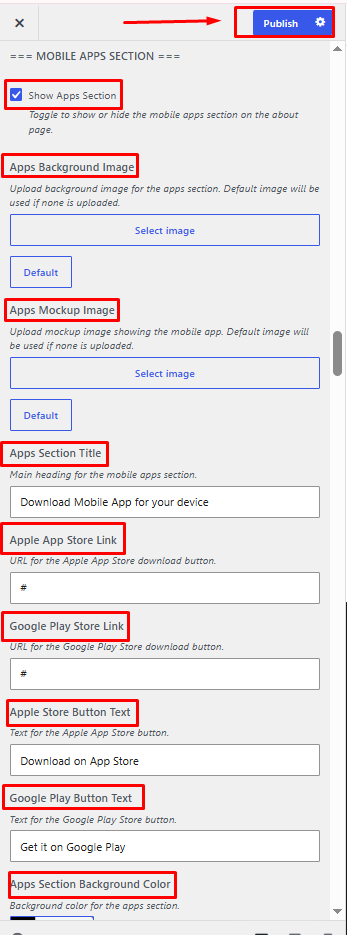
Here, manage the Mobile Apps Section Content.
6. How to Manage the Testimonials Section on the About Page.
From your dashboard, go to the Appearance > Customize > Page Templates > Main About Section.
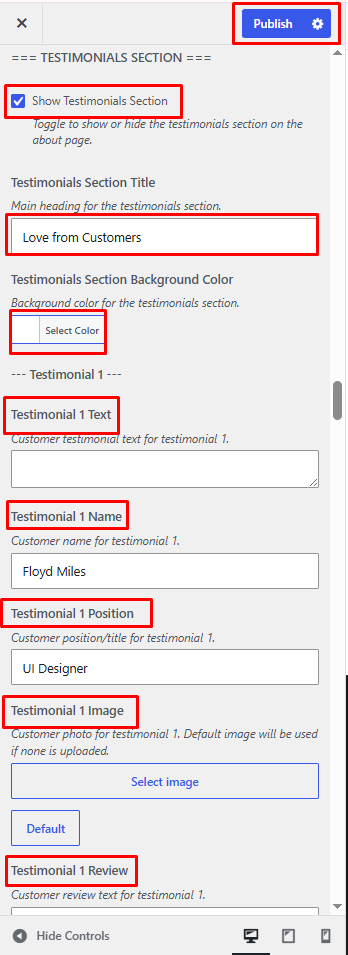
Here, manage the Testimonials Section Content.
7. How to Manage the Instagram Section on the About Page.
From your dashboard, go to the Appearance > Customize > Page Templates > Main About Section.
Here, manage the Instagram Section Content.