How to Manage Footer Settings in Storex Pro?
1. How to Manage Copyright & Payment Methods.
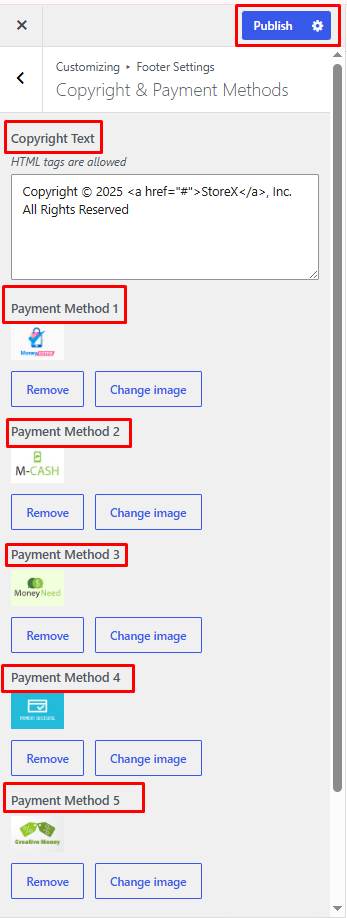
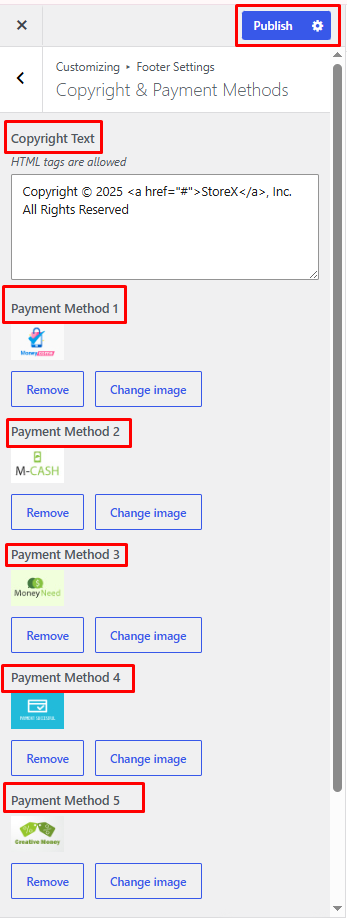
From your dashboard, go to the Appearance > Customize > Footer Settings > Copyright & Payment Methods
Copyright Text: Enter the copyright text displayed in the footer.
Payment Method 1–6: Upload or select payment method icons to display in the footer.
Publish Settings: Click Publish to save and apply all changes.
2. How to Manage Footer Styling.
From your dashboard, go to the Appearance > Customize > Footer Settings > Footer Styling.
Footer Background Color: Choose the background color of the footer.
Footer Text Color: Select the text color for footer content.
Footer Link Color: Set the color of footer links.
Footer Link Hover Color: Choose the color displayed when hovering over footer links.
Widget Title Color: Select the color for footer widget titles.
Footer Border Color: Choose the color of footer borders and separators.
Publish Settings: Click Publish to save and apply all changes.