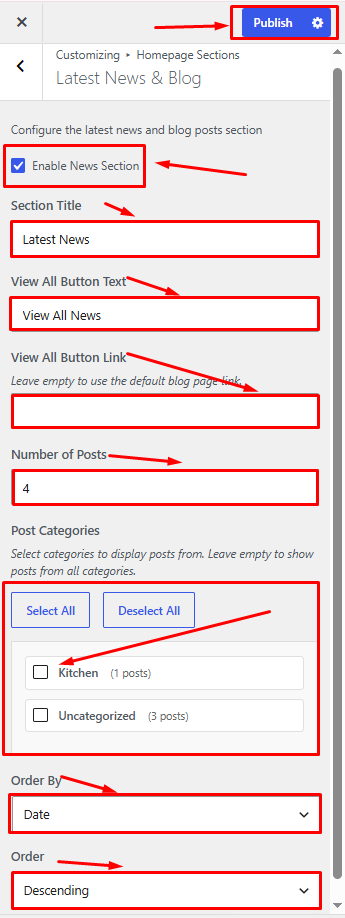
How to Manage Latest News & Blog Section in Storex Pro?
1. How to Add Latest News & Blog on the Homepage.
From your dashboard, go to the Posts > Add Post
Step 01:- Follow this step for the blog
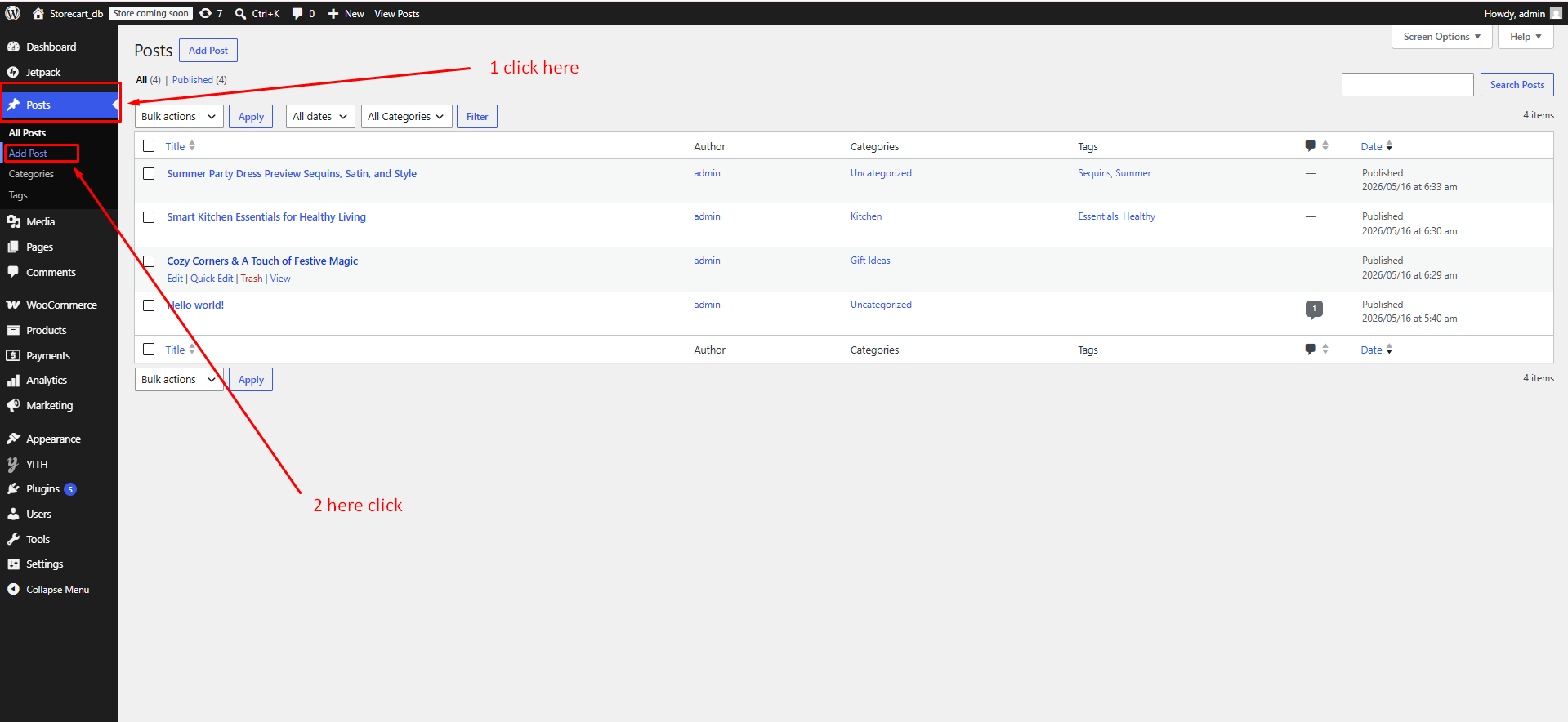
Step 02:- Follow this step for the blog
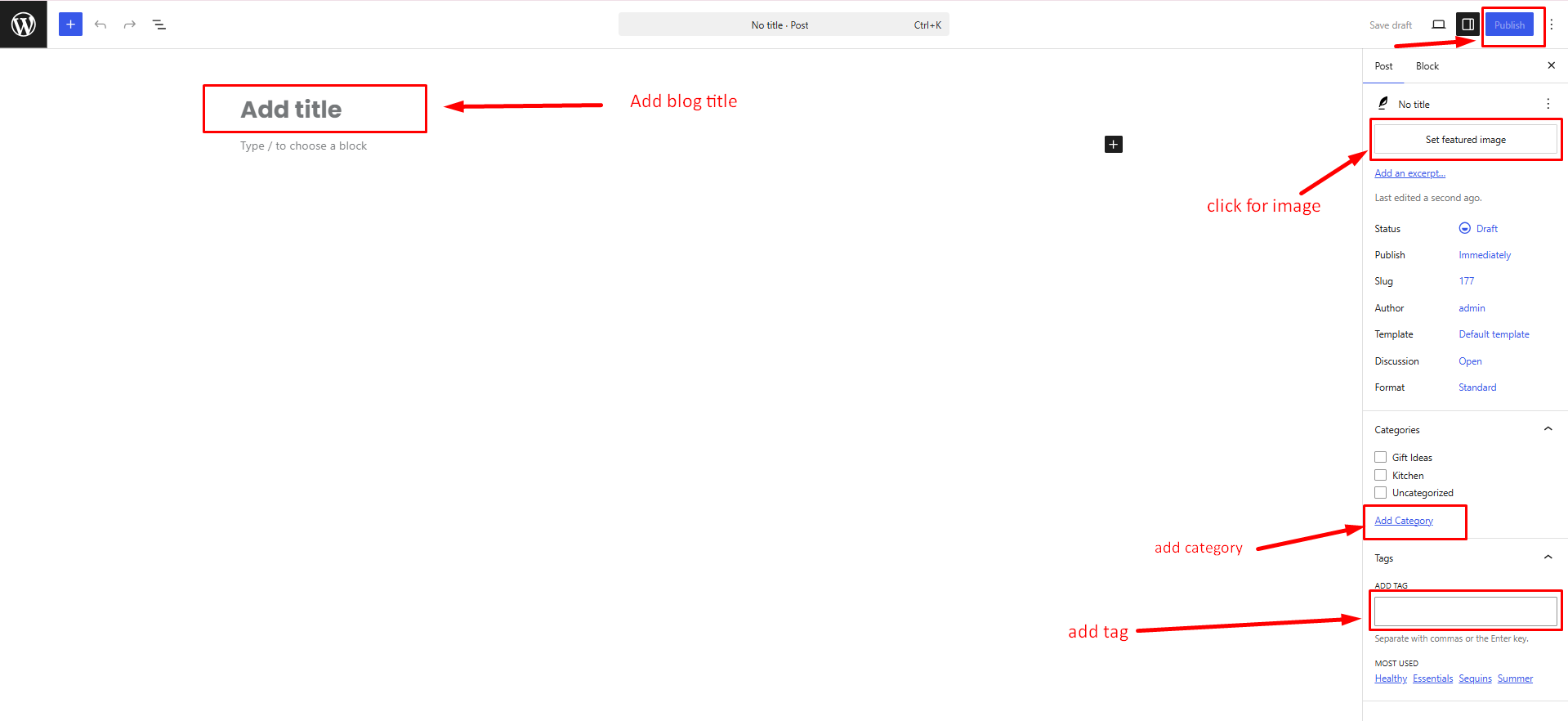
Publish Now
2. How to Manage the Blog Section Customization on the Homepage.
From your dashboard, go to the Appearance > Customize > Homepage Sections > Latest News & Blog
Enable News Section: Show or hide the News section on the homepage.
Section Title: Enter the heading displayed for the News section.
View All Button Text: Set the text for the "View All" button.
View All Button Link: Enter the URL for the "View All" button.
Number of Posts: Specify how many posts to display in the section.
Post Categories: Select the categories from which posts will be displayed.
Order By: Choose the criteria used to sort posts (e.g., Date, Title, Popularity).
Order: Select whether posts are displayed in ascending or descending order.
Publish Changes: Save and apply your settings.