How to Manage Brand Partners Section in Storex Pro?
1. How to Manage Brand Partners Section.
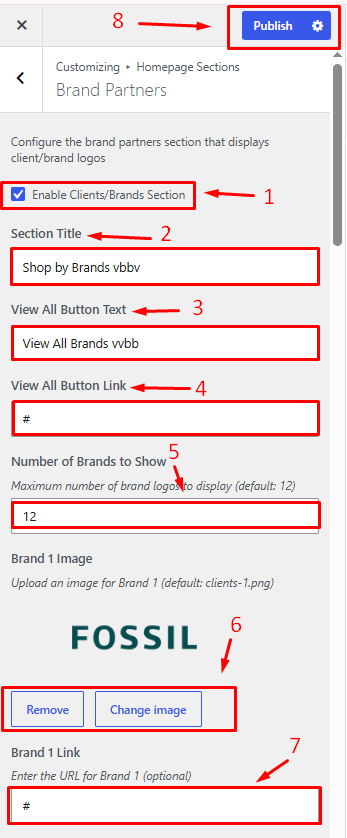
From your dashboard, go to the Appearance > Customize > Homepage Sections > Brand Partners
Enable Clients/Brands Section: Show or hide the Clients/Brands section on the homepage.
Section Title: Enter the heading displayed for the Clients/Brands section.
View All Button Text: Set the text for the "View All" button.
View All Button Link: Enter the URL for the "View All" button.
Number of Brands to Show: Specify how many brands to display in the section.
Brand Image: Upload or select an image for the brand logo.
Publish Changes: Save and apply your settings.