How to Manage Featured Categories Section?
From your dashboard, go to the Appearance > Customize > Homepage Sections > Featured Categories
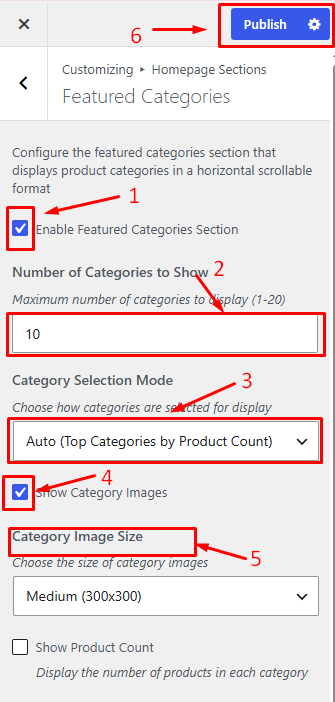
1. Enable Featured Categories Section: Show or hide the Featured Categories section on the homepage.
2. Number of Categories to Show: Set how many categories to display.
3. Category Selection Mode: Choose categories automatically or select them manually.
4. Show Category Images: Display category images along with category names.
5. Category Image Size: Select the size of category images.
Click on Publish.