
How to Select Storex Pro Theme?
1. Choose your favorite theme
From your dashboard, go to the Appearance > Customize > Select Theme
Now, open the select input to choose a theme.
Click on Publish.
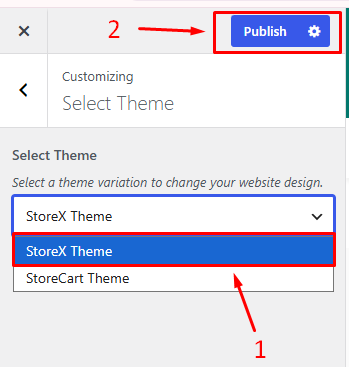

From your dashboard, go to the Appearance > Customize > Select Theme
Now, open the select input to choose a theme.
Click on Publish.