How to Setup Home Page?
01. How to Setup Home Page?
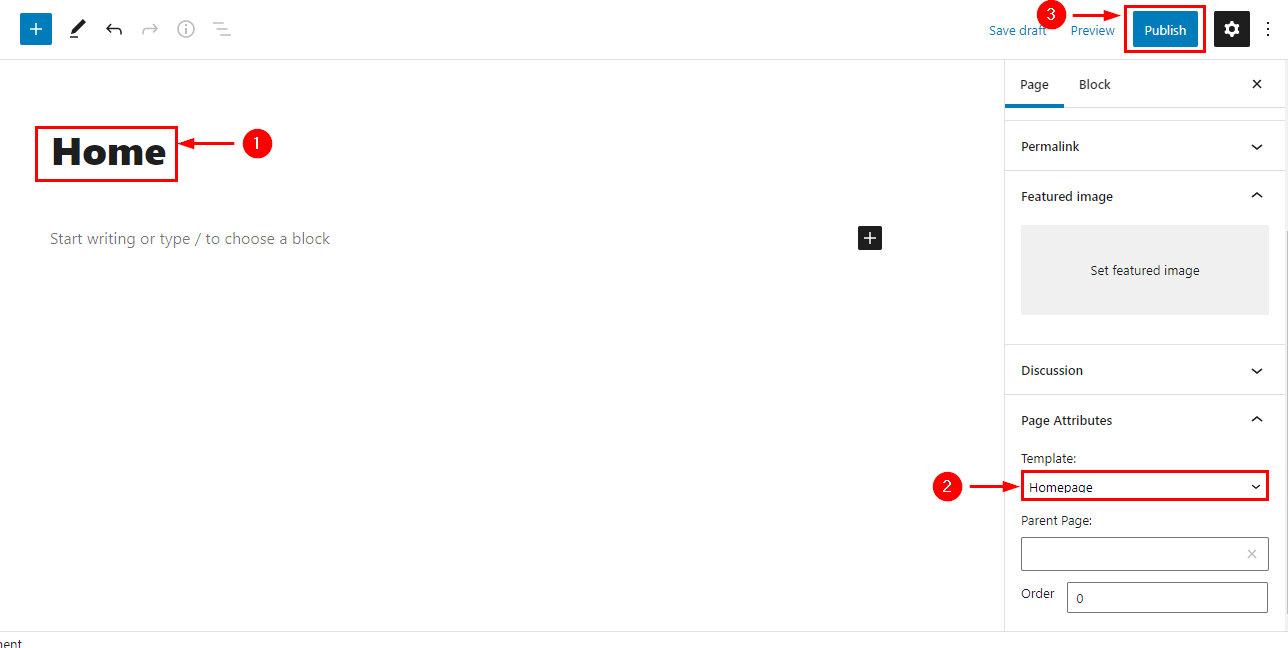
Go to Pages > Add New > Create a Page Named Home ( the name could be anything you like). On the Right Side Under the Template, the drop-down Menu is for choosing the Home Page.
You have to choose the Template and publish it.
02. How to Assign Home Page as a FrontPage?
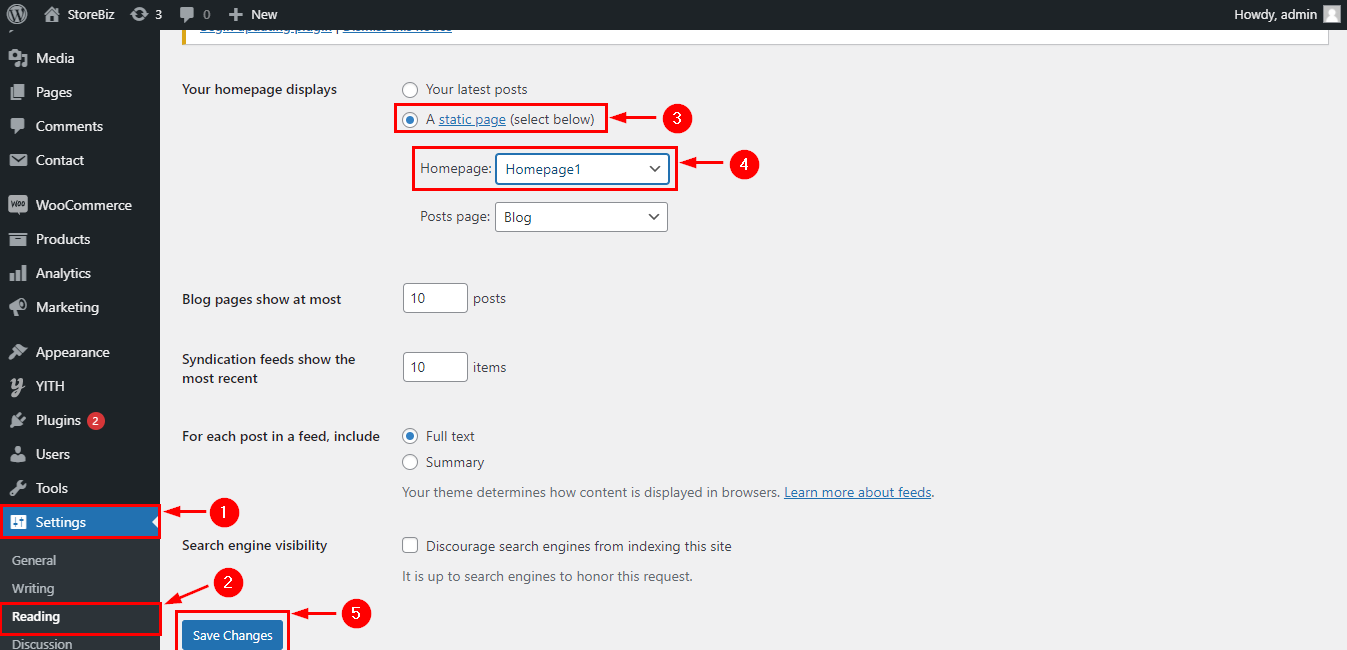
From your dashboard, go to Settings > Reading > Home Page Displays
Click on the radio button of your A Static page
Click on Save Changes.